.webp)
TL;DR
- A lab logger records temperature, humidity, pressure, carbon dioxide, vibration, or other conditions that may affect samples, equipment, or experiments.
- Reliable logger data depends on calibration, correct placement, a suitable logging interval, regular maintenance, backups, and clear review procedures.
- Treat excursions and device failures as controlled events, document the response, and keep readings linked to affected samples, locations, and runs.
- Scispot centralizes logger data with equipment, storage, samples, alerts, deviations, approvals, and audit history so monitoring supports action.
What are the best practices for using a lab logger effectively?
A lab logger is like a black box for your environment. It proves what happened, and when, so your decisions are not based on memory.
The real win comes when logger data is not stuck in a device app or a folder. In Scispot, you can treat logger readings like real lab data, so they stay tied to samples, storage, and work.
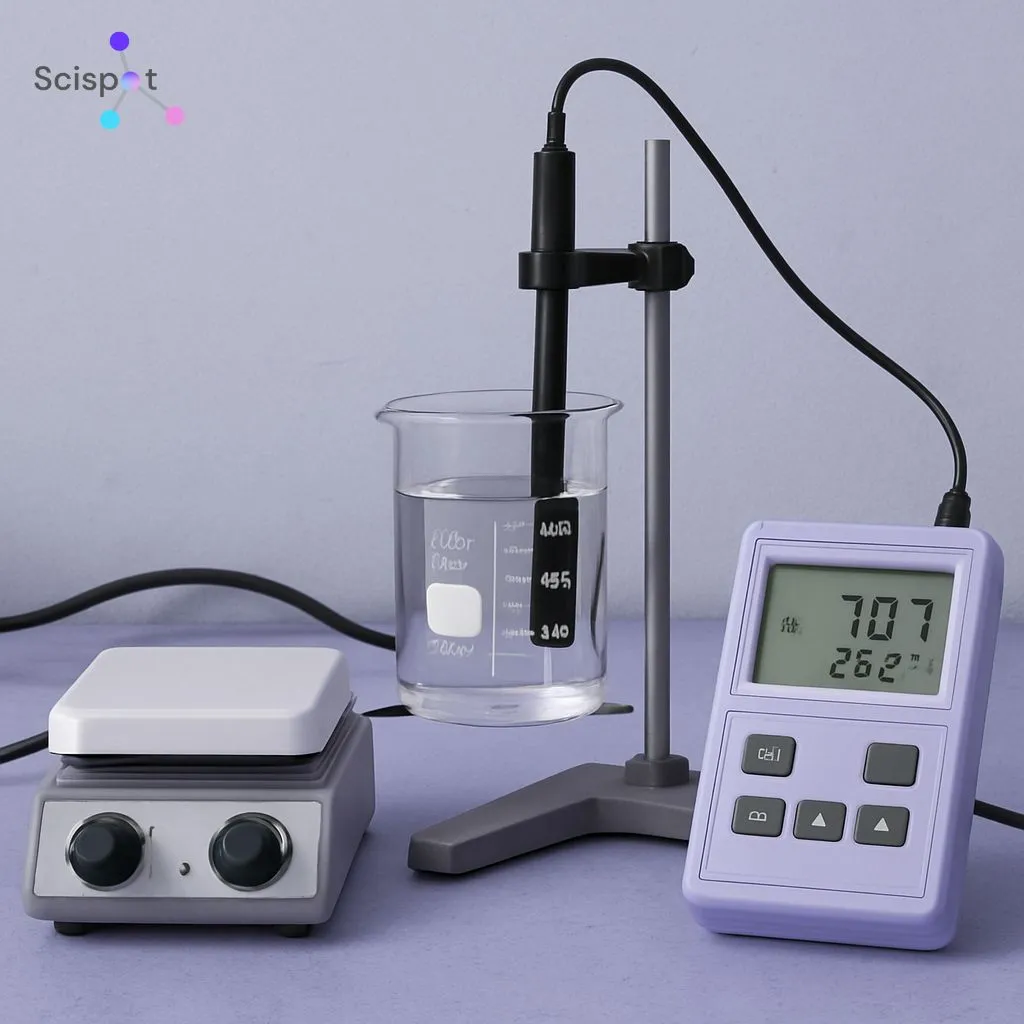
Before we get into best practices, let’s define what a lab logger is. A lab logger records conditions over time, like temperature, humidity, pressure, CO₂, or vibration, based on what your lab needs to control.
If you log conditions but cannot connect them to the exact samples, locations, or runs, the record stays “thin.” Scispot helps you keep that context with the readings, so the story stays complete.
Types of Lab Loggers
Most labs start with a few common categories. Temperature loggers are the most used because storage and incubation are easy places for risk to hide.
Humidity and pressure loggers matter when room control impacts product or results. In Scispot, you can capture each logger type in a structured way, so teams do not invent new formats every month.
The key detail is not the sensor type. It is the link between the reading and the work it protects, like a freezer box, a stability pull, or a run window in an assay.
Many tools stop at “device reports.” Scispot keeps the reading connected to the lab workflow, so it stays useful beyond a PDF.
Setting Up Your Lab Logger
Setup is where most long-term problems begin. Scispot helps by giving you a consistent place to define devices, locations, owners, and naming rules from day one.
Good setup also makes reviews faster. When every logger has a clear identity in Scispot, you avoid “which device is this” confusion during audits and investigations.
Calibration
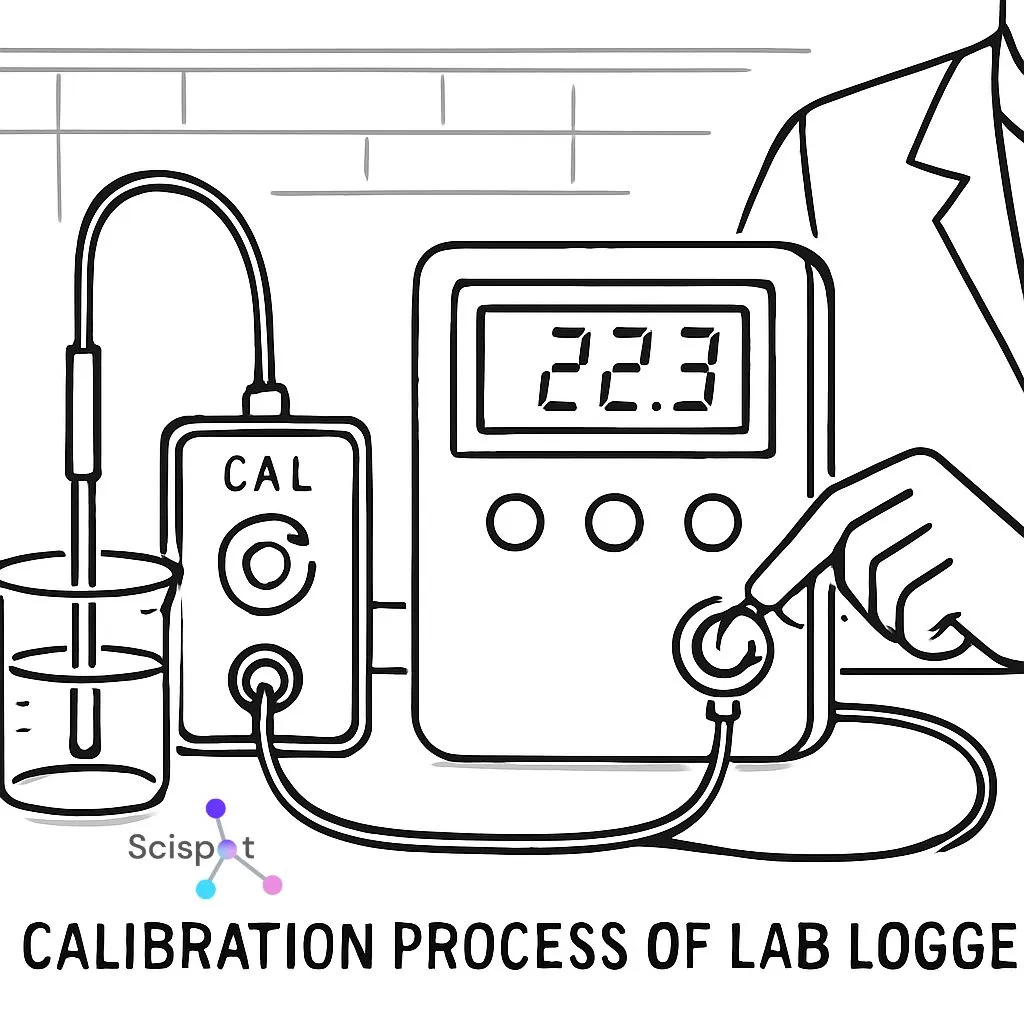
Calibration is how you keep trust in the numbers. In Scispot, you can store calibration details alongside the device record, so you do not hunt for proof later.
Inaccurate data creates false confidence. Scispot makes it easier to review calibration status across devices, so gaps surface early.
Placement
Placement decides if your data reflects the true environment. In Scispot, you can tie a logger to an exact location hierarchy, so “where was it placed” is not a guess.
Avoid vents, sunlight, and heat sources. Then capture the placement note in Scispot, so the next person does not repeat the mistake.
Data Logging Interval
Your interval is your resolution. In Scispot, you can standardize interval rules by use case, so the lab does not pick random settings run to run.
A freezer door event and a room drift are not the same. Scispot helps you record the interval choice with the purpose, so you can defend it during review.

Best Practices for Using a Lab Logger
Regular Maintenance
A logger is still equipment. In Scispot, you can track battery changes, device health checks, and replacement history like any other lab asset.
This reduces “silent failures.” It also reduces the chance that teams trust bad data without realizing it.
Data Backup
Logger data loss is painful because it shows up when it is too late. Scispot reduces this risk by centralizing where logger outputs land, instead of relying on scattered exports.
Manual exports often create version drift. Scispot helps you keep one source of truth, so teams do not debate which file is final.
Data Analysis
A logger is not useful because it collected data. It is useful because you review trends, spot drift, and react before damage happens.
.jpg.webp)
Many logger tools give you charts, but not workflow context. In Scispot, you can analyze readings next to samples, storage events, and run timelines, so the “why” is visible.
Compliance and Documentation
Compliance is about fast answers with no gaps. Scispot helps by keeping time-stamped records, ownership, and review notes in one place with the logger data.
Spreadsheets can look neat, but they often struggle with change tracking and review control at scale. Scispot reduces that friction by keeping records structured and reviewable inside the system.
User Training
Most logger issues are people issues. Scispot helps by making the workflow clear, so new users follow the same steps, not personal habits.
Training should be short and repeatable. Scispot makes it easier to document the standard flow and keep it consistent across teams.
Integrating Lab Loggers with Other Systems
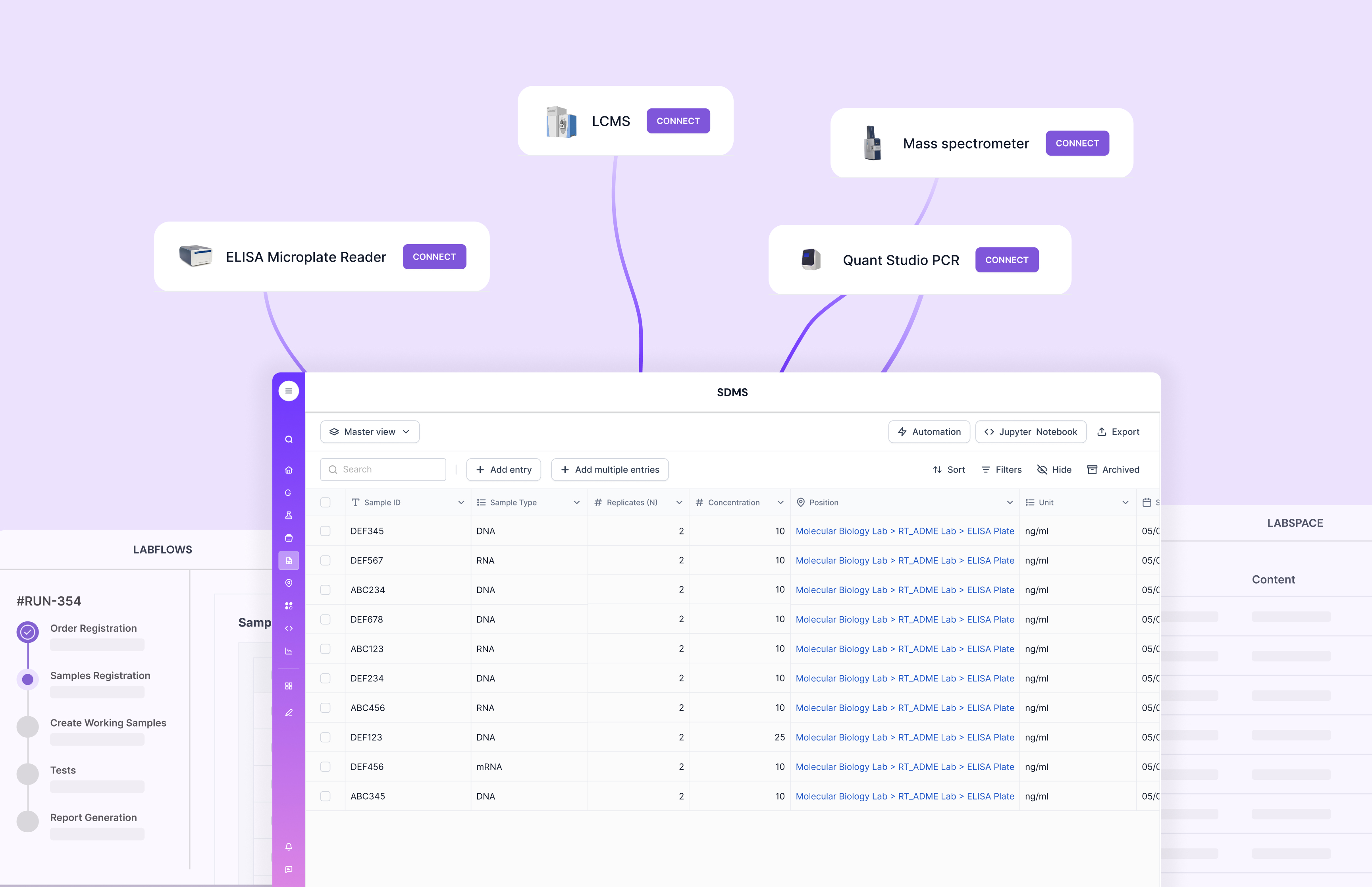
Integration is the difference between monitoring and managing. Scispot shines here because it is built to connect operational data to lab work, not keep it in side tools.
Many labs end up stitching tools with manual steps. Scispot reduces those handoffs, which lowers error risk and saves time.
Some legacy LIMS setups can be heavy to roll out and hard to adapt. Scispot is more flexible, so you can start simple and grow without rebuilding the system.
Automation
Automation is where time savings compound. With Scispot, logger outputs can flow into structured tables, so you reduce copy-paste work and cut down human errors.
Automation also makes reviews easier. Scispot can keep readings linked to the right samples and storage zones, so you do not do manual matching later.
Real-Time Monitoring
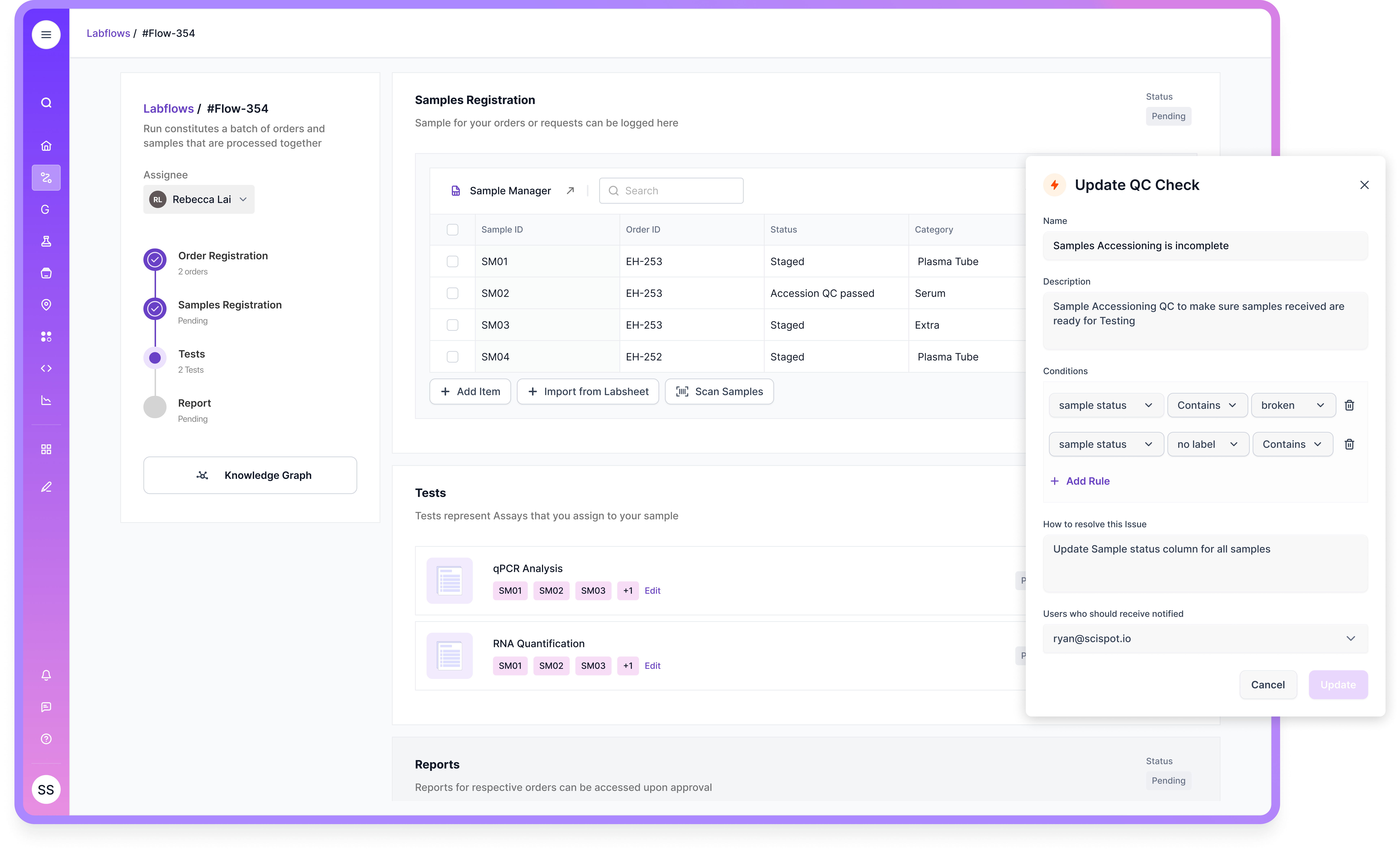
Real-time monitoring matters when response time matters. Scispot supports a workflow where alerts and actions can be tied to the same record, so you move from “seeing” to “doing.”
This closes the loop. It also makes post-event reviews clearer, because the actions are captured with the data.
Using Scispot to Centralize and Automate Lab Logger Data
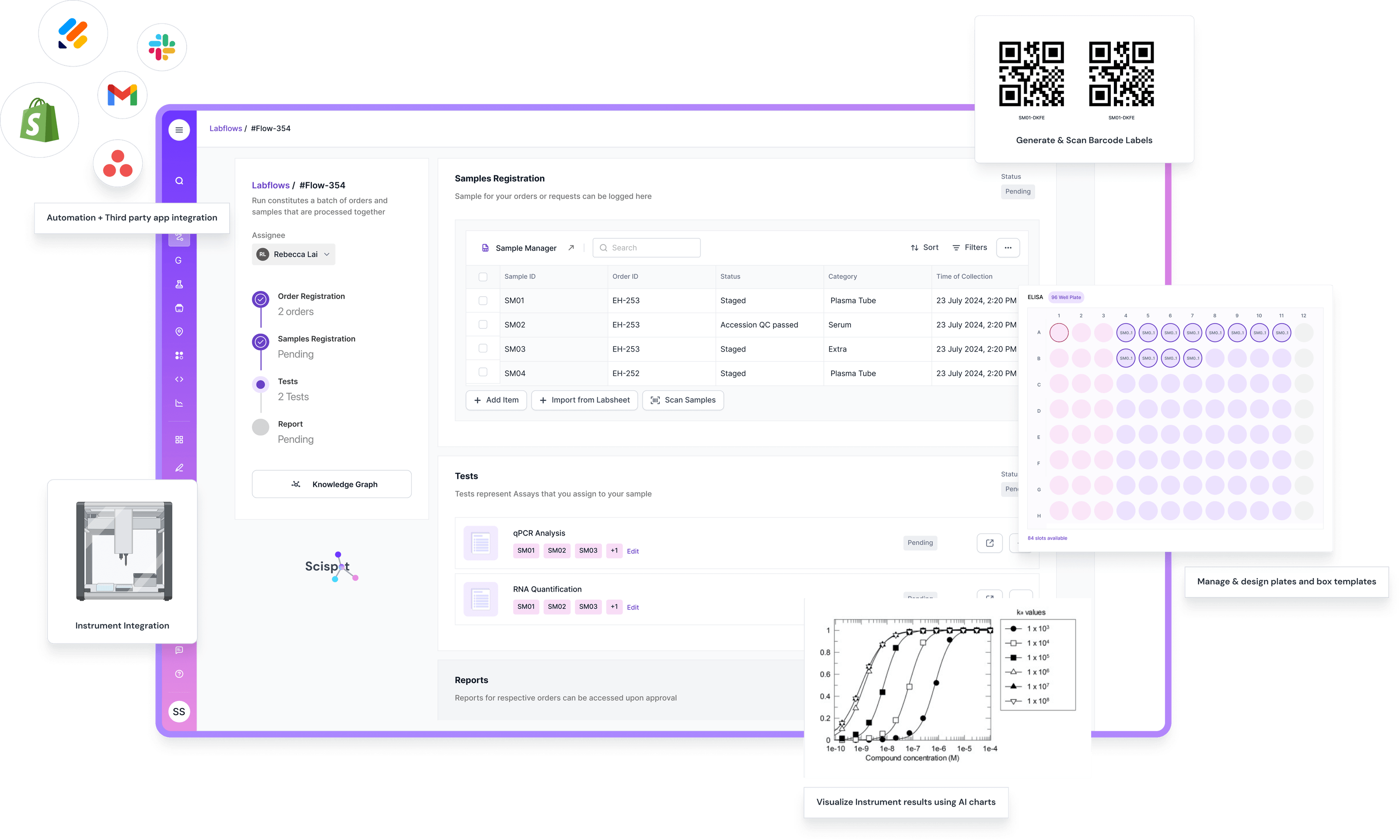
If you want your lab logger best practices to stick, the biggest win is simple. Get the data out of “one more device dashboard” and into one place where work actually happens. Scispot does that well. It acts as the system of record for experiments, samples, equipment, and files, so logger readings stop being loose exports and become linked evidence in the same record your team reviews and signs off on.
Scispot also makes the “boring but critical” parts easier to run. You can capture raw logger files, index the key metadata, and tie readings to a run, a freezer, or a storage location. Then you can add rules and alerts for drift, excursions, or missing checks. Think of it like moving from a pile of sticky notes to a single flight recorder that keeps context with every event.
Most logger vendor tools are fine for viewing charts. They often fall short when you need full traceability across samples, SOP steps, deviations, and approvals. Scispot fills that gap with audit trails, role-based access, and workflows that can be reused across teams. That means fewer “who changed this” moments during audits, and less copy-paste during busy weeks.
Troubleshooting Common Issues
Inaccurate Reading
Start with calibration and placement. Then confirm the device clock and interval settings, because timing errors can look like real excursions.
In Scispot, you can record the troubleshooting steps and the outcome. This prevents repeat issues and keeps a clean trail for reviews.
Data Loss
If you only download data “when asked,” gaps will happen. Scispot reduces this risk by giving teams one controlled place to store logger data and related context.
If you still use exports, standardize the process. Then store the final record in Scispot, so the lab is not spread across drives and inboxes.
Device Malfunction
Treat malfunctions like deviations. Document what happened, isolate impact, and decide if the data is still trustworthy.
Scispot helps you capture the full narrative in one place. That makes the next audit question much easier to answer.
Conclusion
Using a lab logger well is mostly discipline. Calibrate it, place it right, pick a sane interval, maintain it, back it up, and review trends like a routine.
The biggest upgrade is making logger data part of your lab system, not an orphan record. Scispot helps you link readings to samples, locations, and workflows, so monitoring becomes real operational control.
Key takeaways: Setup protects data quality. Backups prevent painful gaps. Scispot makes logger data usable, connected, and review-ready.